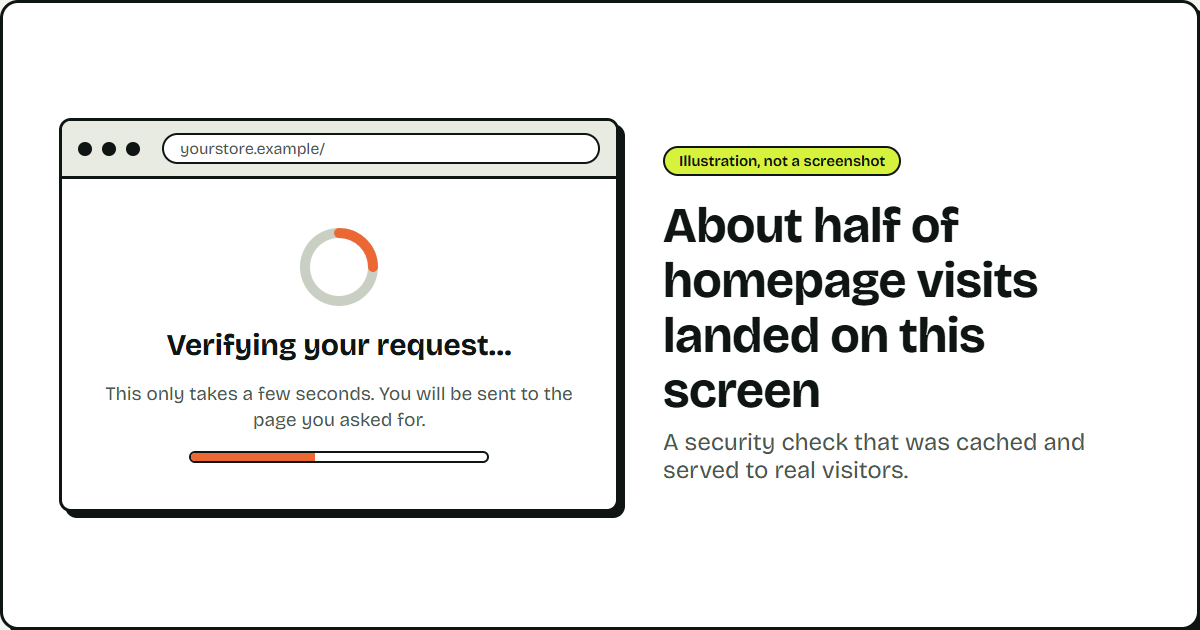
Sales on a digital product site had dropped for over two weeks running when I noticed something during a routine SEO check.
I pulled the Google Search Console (GSC) data first. Rankings were steady and the click-through rate was unchanged.
So I pulled the Google Analytics data and found a glaring issue on the homepage. Around half of the users arriving there were bouncing without any engagement.
That looked unusual, and a closer look confirmed it.
Testing the Homepage Like a Non-Google Visitor
The check was simple: fetch a page as a normal visitor instead of Googlebot, and see what comes back.
A plain request to the homepage returned a “verifying your request” splash screen instead of content.
My first read: the site was under a bot attack, and the WAF was holding up and doing its job.
But the splash screen didn’t go away. It never timed out, and refreshing the page didn’t clear it.
I went back to the GA4 Pages and screens report and switched the dimension from Page path and screen class to Page title and screen class.
The same splash screen appeared in the report as a tracked pageview, complete with active users, engagement time, and a bounce rate, the same data any real page would generate.
That doesn’t happen by accident. GA4 fires when a browser runs its tracking script, something most bots never do. Known crawlers get filtered out of GA4 by default.
That meant real browsers, and real people, were loading the splash screen.
Splitting the Traffic by Source and Medium
I broke the traffic down by source and medium to see who was hitting the page. Two patterns stood out.
| Traffic pattern | Referrer signal | Views per visitor | Likely source |
|---|---|---|---|
| Automated-looking | Unrelated or spoofed referrers, including one pointing at a hosting control panel port | Dozens to hundreds | Script or bot |
| Direct navigation | No referrer at all | One to three | Real visitor |
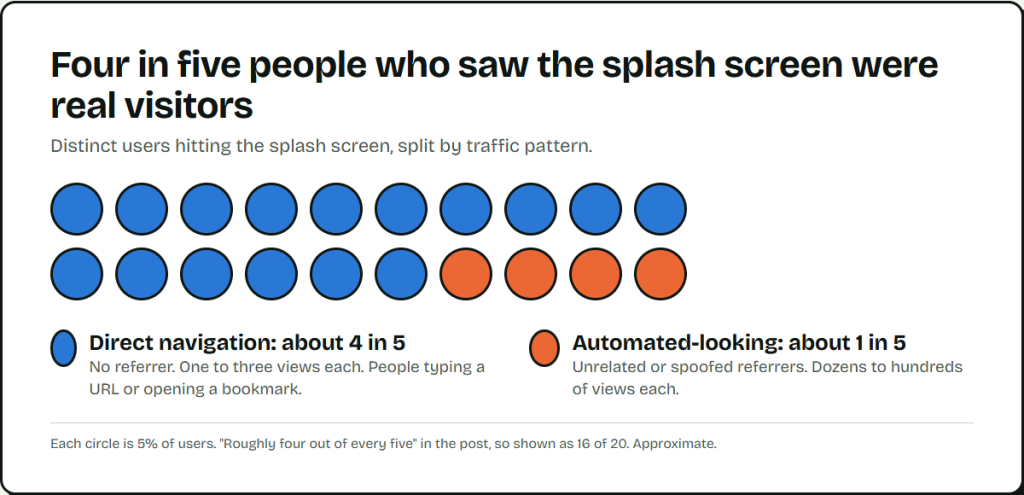
The direct-navigation group made up roughly four out of every five distinct users hitting the splash screen. These were people typing a URL or opening a bookmark. They hit a wall and left.
Half of Homepage Traffic Was Hitting the Wall
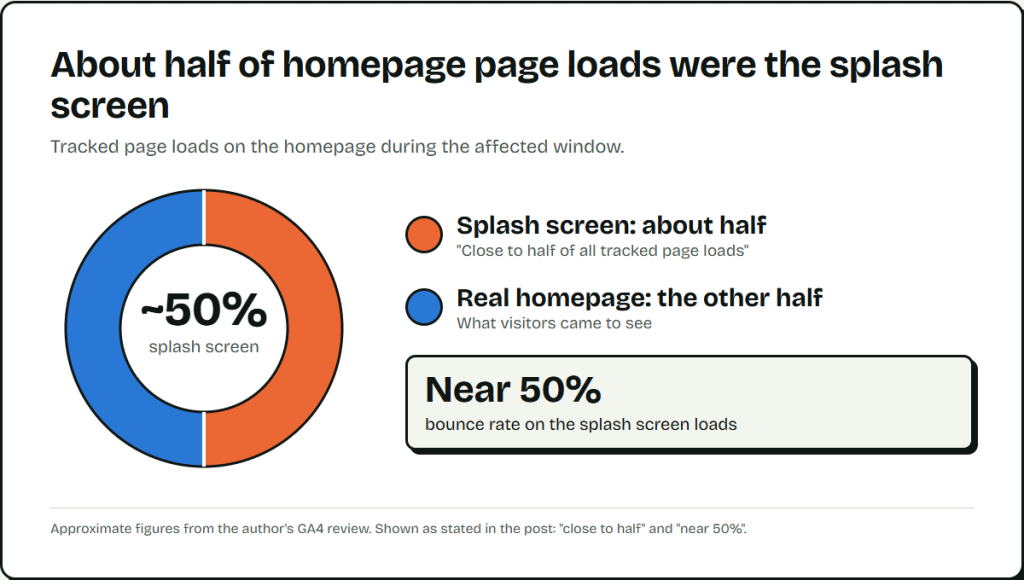
I checked how much of the site’s traffic this touched. On the homepage, close to half of all tracked page loads during the affected window were the splash screen, not the real page. Bounce rate on those loads sat near 50%.
Half the people trying to reach the homepage were hitting a wall.
Testing Whether the Block Was Live or Cached
A colleague raised a different possibility: the block wasn’t being decided per visitor at all. A per-visitor block should follow individual behavior and bot scoring. Instead the rate stayed flat across everyone hitting the same page.
| Test | If it’s a live check | If it’s cached | What happened |
|---|---|---|---|
| Bypass cache | Still blocked | Real page loads | Real page loaded |
| Purge cache | No change | Block clears everywhere | Block cleared |
Neither result makes sense if the block runs fresh on every request. Both make sense if Cloudflare had frozen a response in cache and kept handing it out.
The Cloudflare Setting That Made This Possible
The site’s Cloudflare cache rule matched on hostname alone and covered nearly every page. One line in its configuration told Cloudflare to ignore the origin’s cache-control header and use a fixed cache duration instead. It had no exception for responses other than a normal 200.
That setting stripped the origin of any way to say “don’t cache this.” Whatever came back for a URL, real content or a security interstitial, got stored and served the same way for the length of the TTL.
The Real Source: Imunify360’s Verification Layer
The splash screen didn’t come from Cloudflare. It came from Imunify360, a server-level security layer in front of the origin, separate from the CDN. When it flags a visitor, it doesn’t block them outright.
It serves a short verification page with a timer. That timer redirects the browser back to the original URL a few seconds later. By then the visitor has usually cleared, and the real page loads.
That design depends on the follow-up request reaching the origin. With the cache rule in place, it never did.
The first visitor to trigger the splash screen on a URL froze that response into cache. Every visitor after that, and every automatic retry from the browser’s own timer, hit the cached copy at Cloudflare’s edge instead of reaching Imunify360 again. Cloudflare kept answering on Imunify360’s behalf with a copy of a check that had already expired.
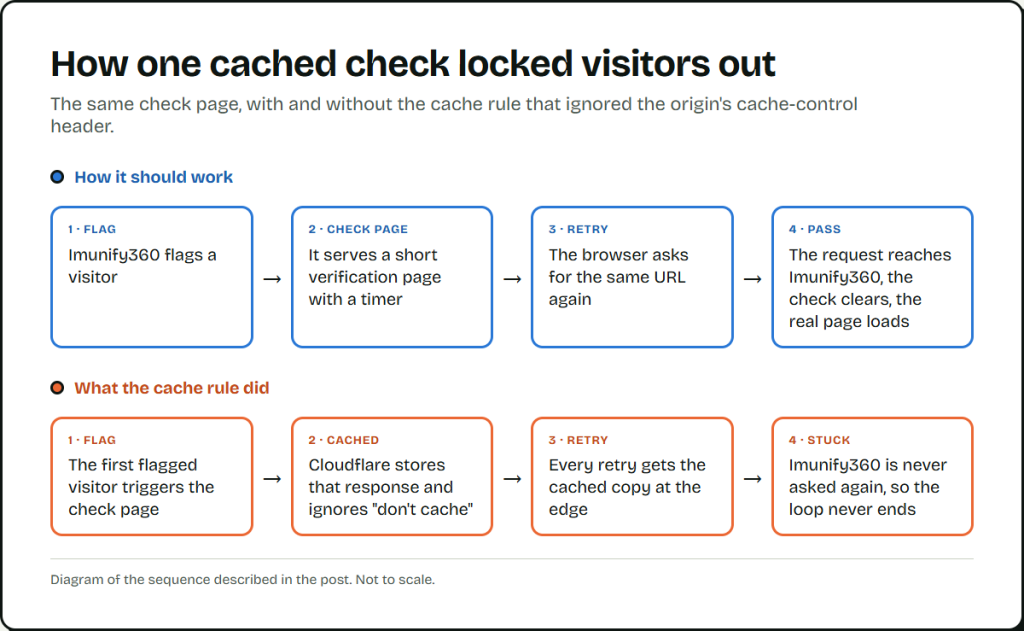
The verification never got a second look, and the loop never timed out. The check itself likely resolved in seconds, as it always does. It just never got asked again.
One detail confirmed this wasn’t a one-off. The splash screen’s URL used a specific obfuscated path pattern. I searched that pattern and found a public thread describing the identical failure on a different site: an aggressive cache rule sitting in front of a server-level WAF.
The Fix: Excluding the Verification Response From Cache
We kept the cache rule in place for regular pages. We carved out an exception for the verification response, so it can never be cached regardless of the rule’s other settings. Combined with clearing the existing cached copies, the splash screen stopped appearing to anyone the WAF hadn’t flagged.
Bounce Rate and Splash-Screen Views After the Fix
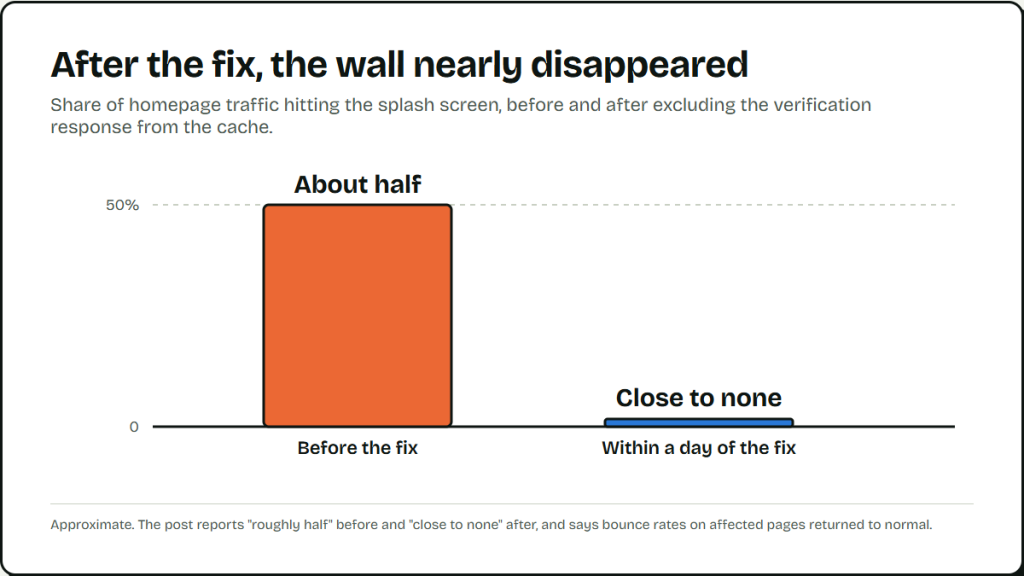
Within a day, the splash screen nearly disappeared from the analytics. The affected pages’ bounce rates went back to normal. The share of homepage traffic hitting a wall went from roughly half to close to none.
What to Check on Your Own Site
If a security tool sits behind a CDN and something keeps blocking real visitors on and off, check the cache configuration first. Don’t assume the security layer is misbehaving.
- Cache rule ignoring cache-control. If the rule ignores the origin’s header, the origin’s no-cache instructions do nothing, and Cloudflare stores the response anyway.
- No status-code or path exceptions. An empty exception list means Cloudflare treats a challenge page or an error page exactly like real content.
- A splash or challenge page in your analytics. If it shows up as a tracked pageview with real session data attached, real visitors are seeing it, whether live or frozen.
If any of these turns up, find out before it costs you more visitors.
Leave a Reply