A WordPress plugin for just schema.
Read the exact JSON-LD a page will print before you publish. Switch a page’s type and keep what you typed.
// one @graph per page
{
  "@context": "https://schema.org",
  "@graph": [
    {
      "@type": "LocalBusiness",
      "@id": "https://example.com/#entity",
      "name": "Example Studio"
    },
    {
      "@type": "WebSite",
      "publisher": { "@id": "https://example.com/#entity" }
    },
    {
      "@type": "WebPage",
      "name": "{{post_title}}"
    },
    { "@type": "BreadcrumbList", /* ... */ }
  ]
}
Example of the shape of the output. Names and URLs are placeholders.
Valid schema that split one brand in two
A client’s blog passed every check. The JSON-LD was valid, the property names were right, nothing was missing. It still told Google the client was two companies, because the blog install built its own Organization from its /blog/ address. Every post credited the wrong one. I wrote up that audit.
That was the first of several. I also hit a CollectionPage the plugin could not produce, and fields that vanished when I changed a type. I do technical SEO for WordPress products, and Rank Math was on both installs. Each fix meant working around the plugin, so I built a lightweight one that does schema and nothing else.
Agencies, small sites, anyone burned by schema
Site owners and agencies
You run Yoast or Rank Math and want to decide which schema each page prints.
Small sites
Local businesses, small shops, blogs and personal brands. Pick Individual, Local or Small Business, or Online Store in the setup wizard.
Anyone who has been burned
Schema that broke or vanished, and you found out late. Here you read what will print before it goes out.
It does one job: it prints schema you can preview and edit, in a 0.14 MB package.
A 0.14 MB plugin, one graph per page
Classes load on first use, so a front-end request loads only what building the graph needs. The admin code never loads for visitors. Optional features that are off add no menu items, no REST routes and no front-end work.
Install, pick a type, read the preview
Install
Download the repository from GitHub, run
npm ciandnpm run build, then copy the folder intowp-content/plugins/and activate it.Run the wizard
Activate it and pick what your site is: an individual, a local business, a store, a company, a blog, or another type from the full list.
Check the preview
Open any page, find the Schema panel and read the JSON-LD before you publish.
Eight jobs it handles
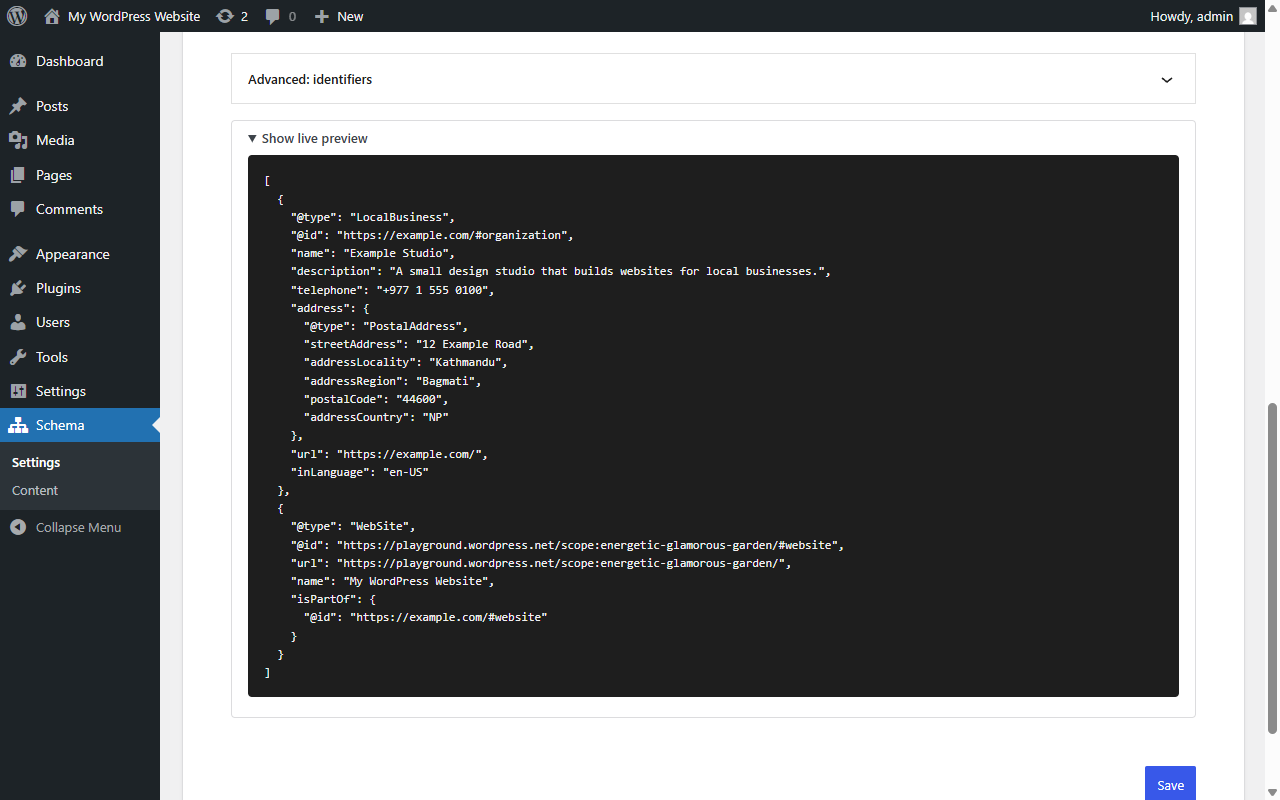
Give a separate blog your brand’s identity
Your blog runs on its own WordPress install, at /blog/ or on a subdomain.
Tell it the blog is part of the main site. It adopts the parent’s @id and URL, so every reference points at one shared company. A separate brand or division gets a parent link instead.
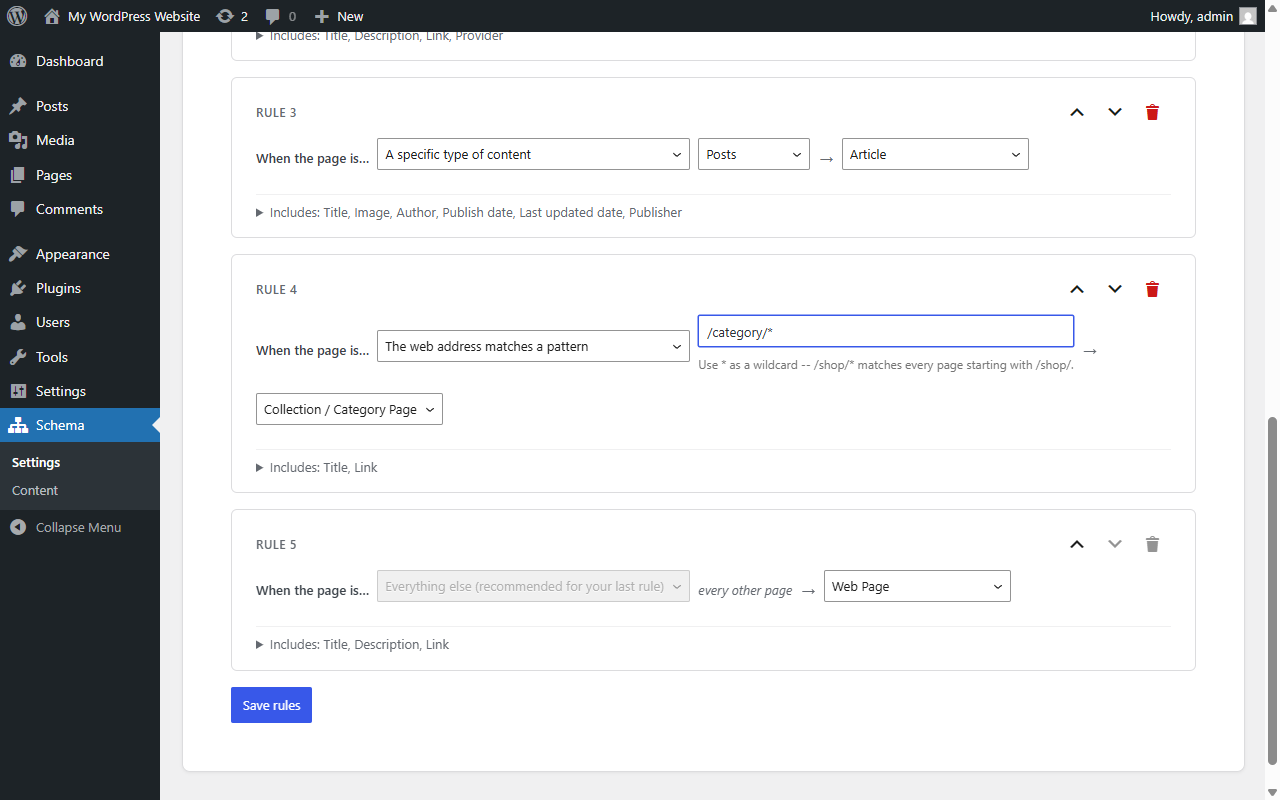
Put CollectionPage on category archives
Category archives need CollectionPage and your current setup has no way to add it.
Add a rule for /category/* and tag it Collection / Category Page. For anything else, paste raw JSON-LD for one page, one rule or the whole site. It is checked for valid JSON before it is saved.
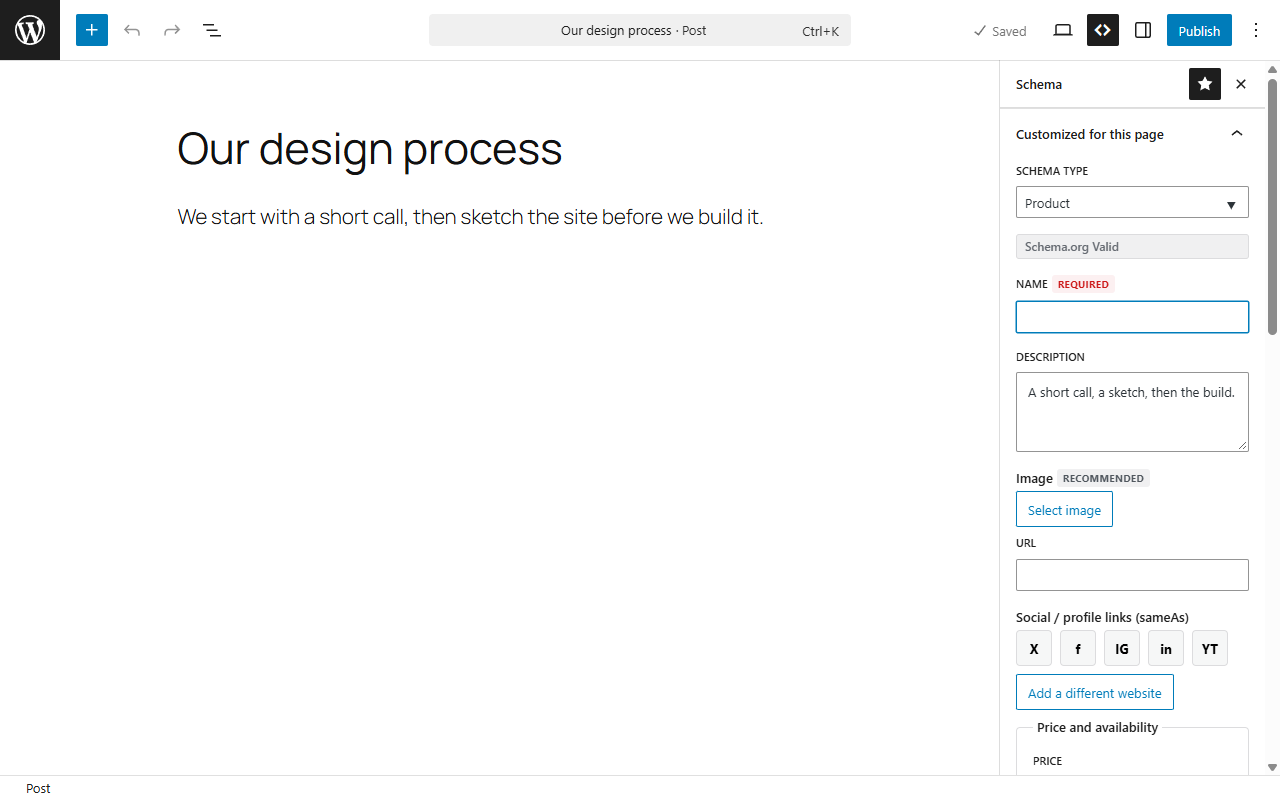
Change a page’s type without retyping
A page changes from Article to Product, or back.
Fields that don’t apply move aside and come back when you switch back. Article to Product and back loses nothing.
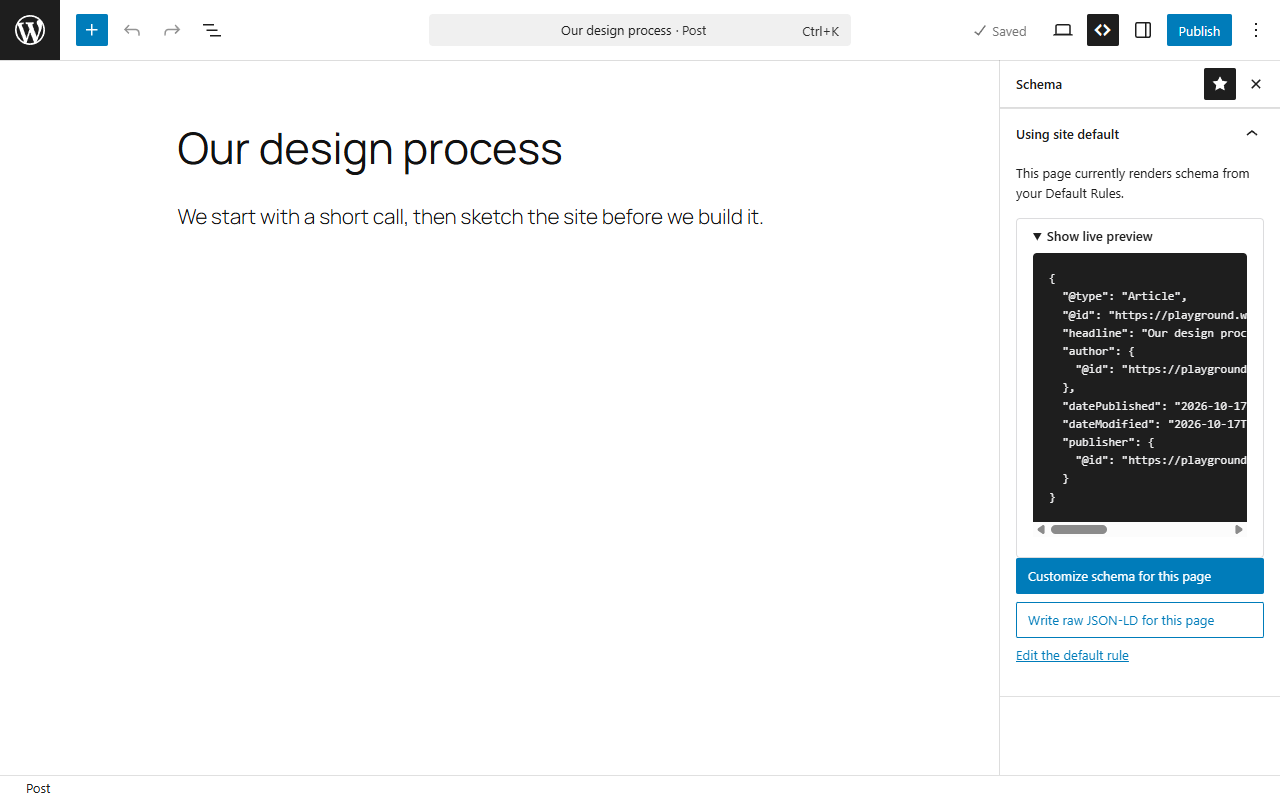
See what prints before it goes live
Before publishing, you want to read the JSON-LD a page will print.
A live preview on every editing screen, built by the same code that prints the page.
Change what a page type outputs, without code
One kind of page needs different output, and you would rather not write filter code.
Default rules are stored data, edited in plain language. Match by post type, URL pattern, taxonomy term, a specific page or everything else.
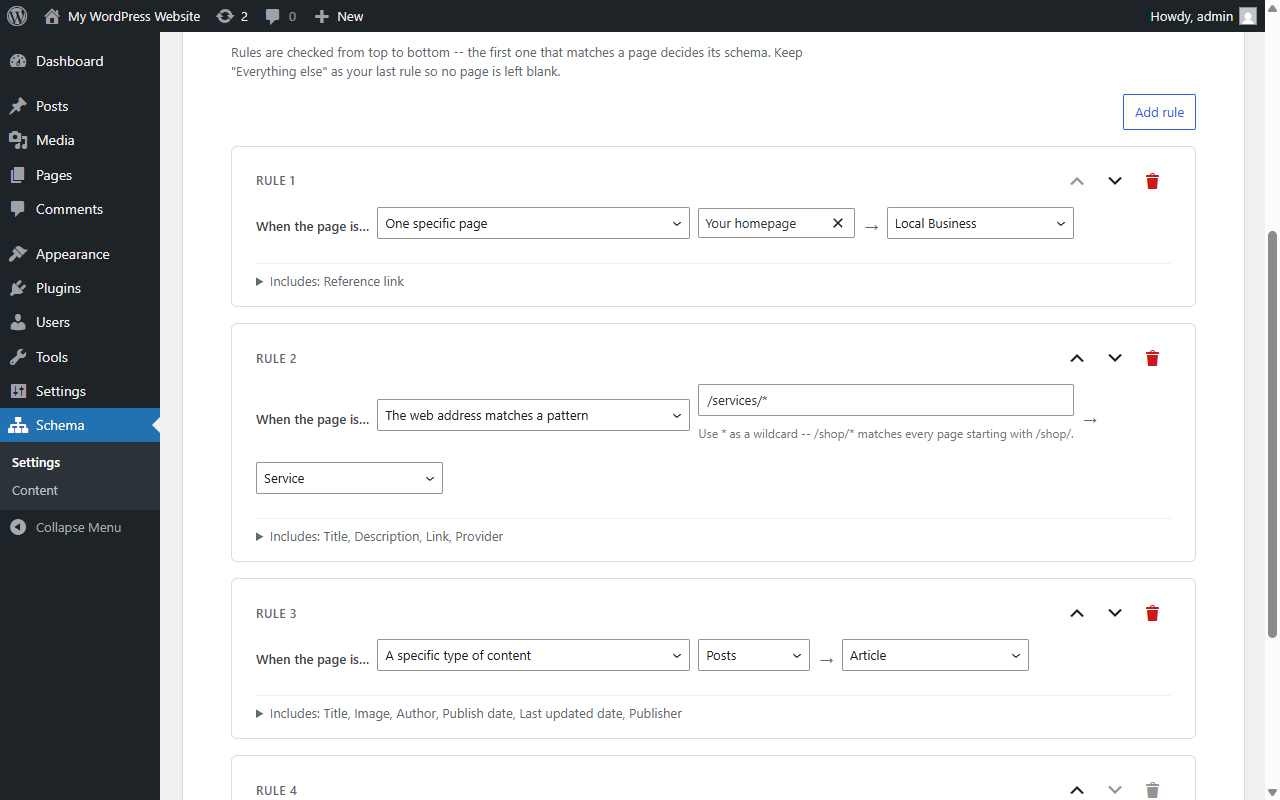
Run beside Yoast or Rank Math
Your site already prints a graph from Yoast or Rank Math.
It switches their JSON-LD off on pages where it prints its own, so a page carries one graph. A setting keeps both if you prefer.
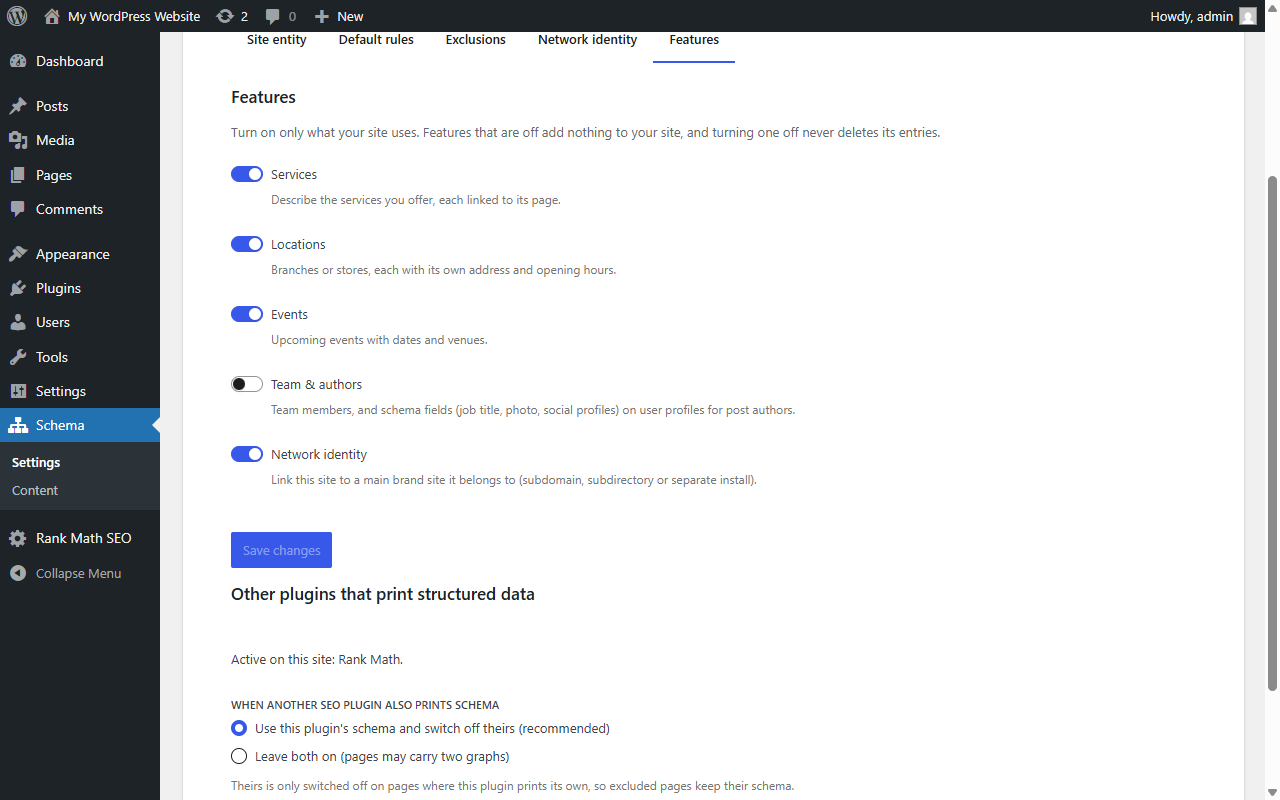
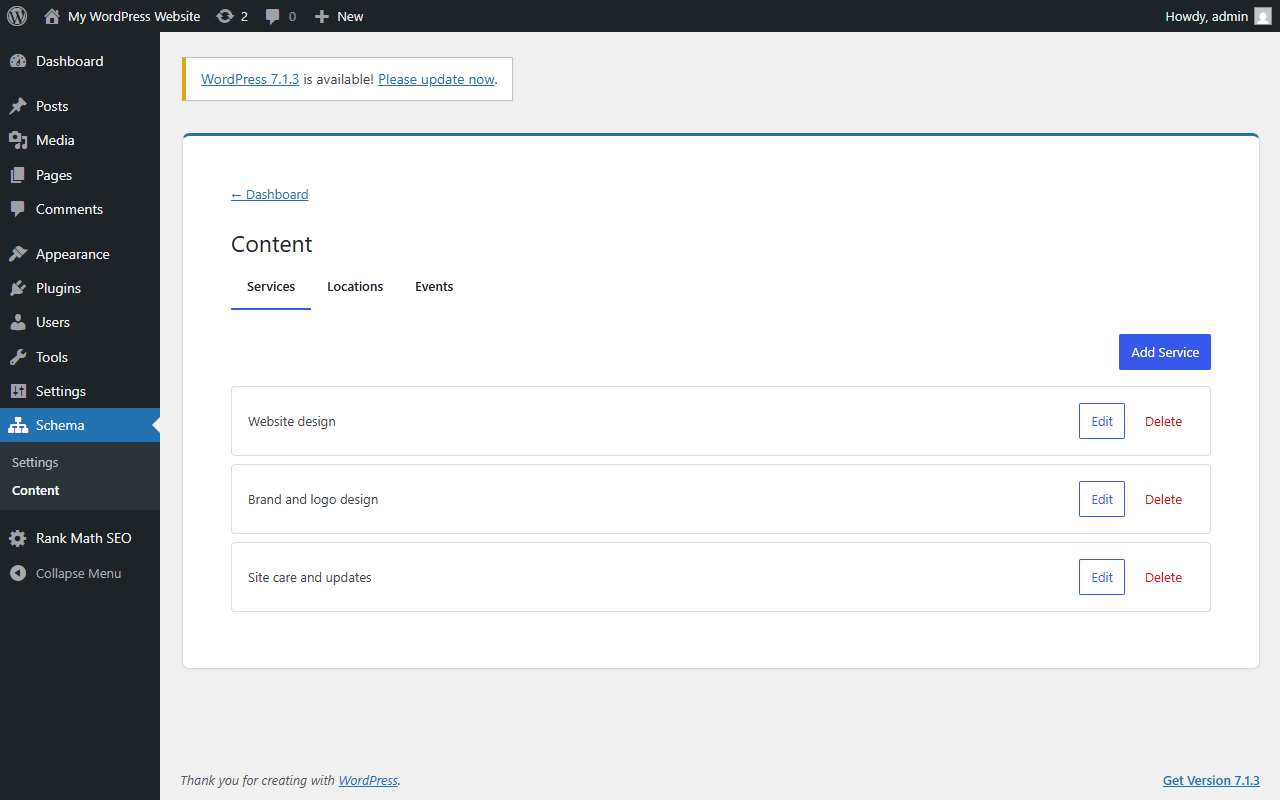
Connect services, locations, events and team
You want them linked to your business entity.
Each one is its own node and links back to the sitewide entity by @id. Team members can be bound to WordPress users. Product to Review linking is not built yet.
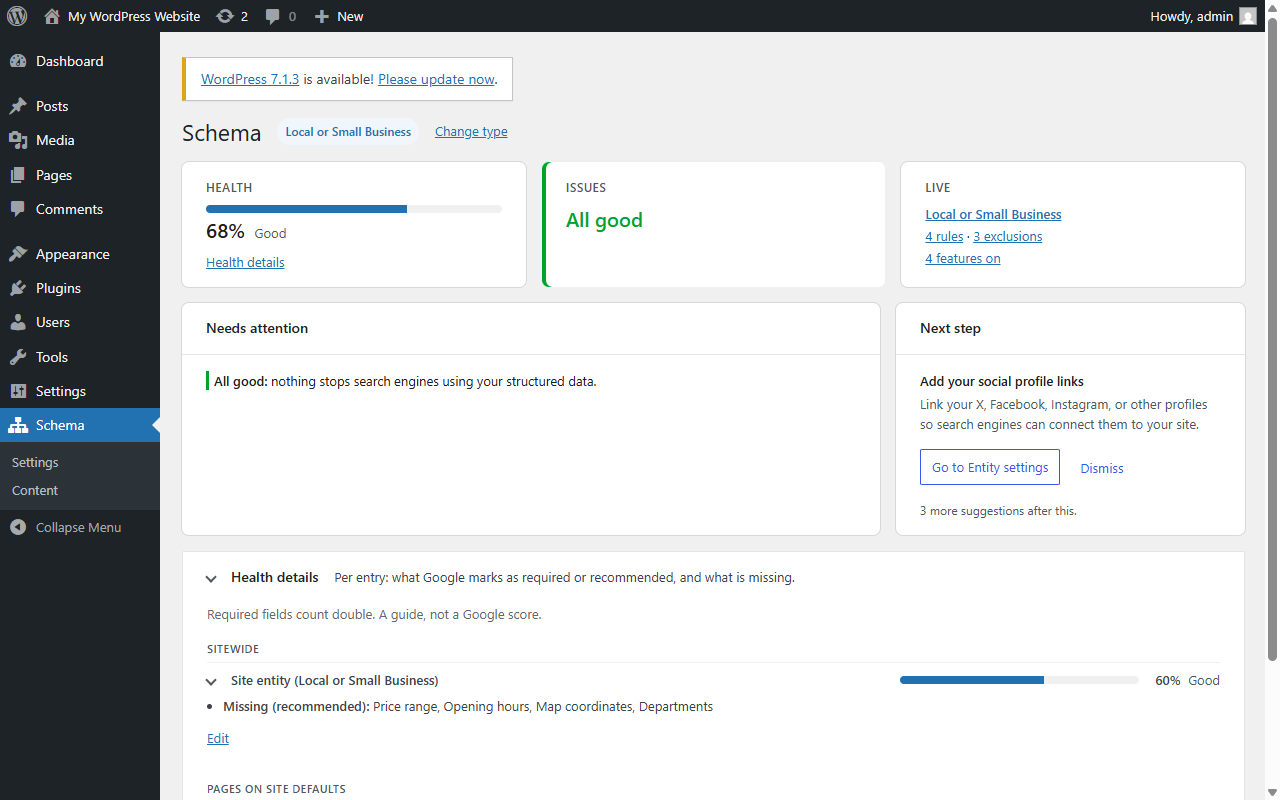
Check your schema against Google’s fields
You want to know whether your schema is complete.
The dashboard rates your entity and every linked entry against Google’s required and recommended fields and lists what is missing. It is a guide, not Google’s own score.
Also included: Sitewide entityBreadcrumbsWooCommerce Product rulePer-page Schema panelRaw JSON-LD at three levels
Screenshots from a test site on WordPress 6.8, with placeholder data (Example Studio, example.com).
Early release: what it can’t do yet
Version 0.1.0, an early release built for my own use first. It is not on wordpress.org, so for now the code lives on GitHub under a GPL license. I built it with Claude as my coding assistant.
Known limits
- Raw JSON-LD is checked for shape (valid JSON, one object), not against schema.org or Google’s rules.
- No Product to Review linking yet.
- No dedicated field set for software or digital goods beyond the generic type search.
- Not yet checked on a classic theme with WooCommerce.
- Tested on WordPress 6.8 and PHP 8.3. Not yet tested on WordPress 7.1.