Short answer: open the Crawl Stats report and read the by-host breakdown for the host you care about, or add a URL-prefix property for that host. Then break the requests down by file type, response and purpose, and open the example URLs in each bucket. Whatever bucket is not a page or post is where the waste is.
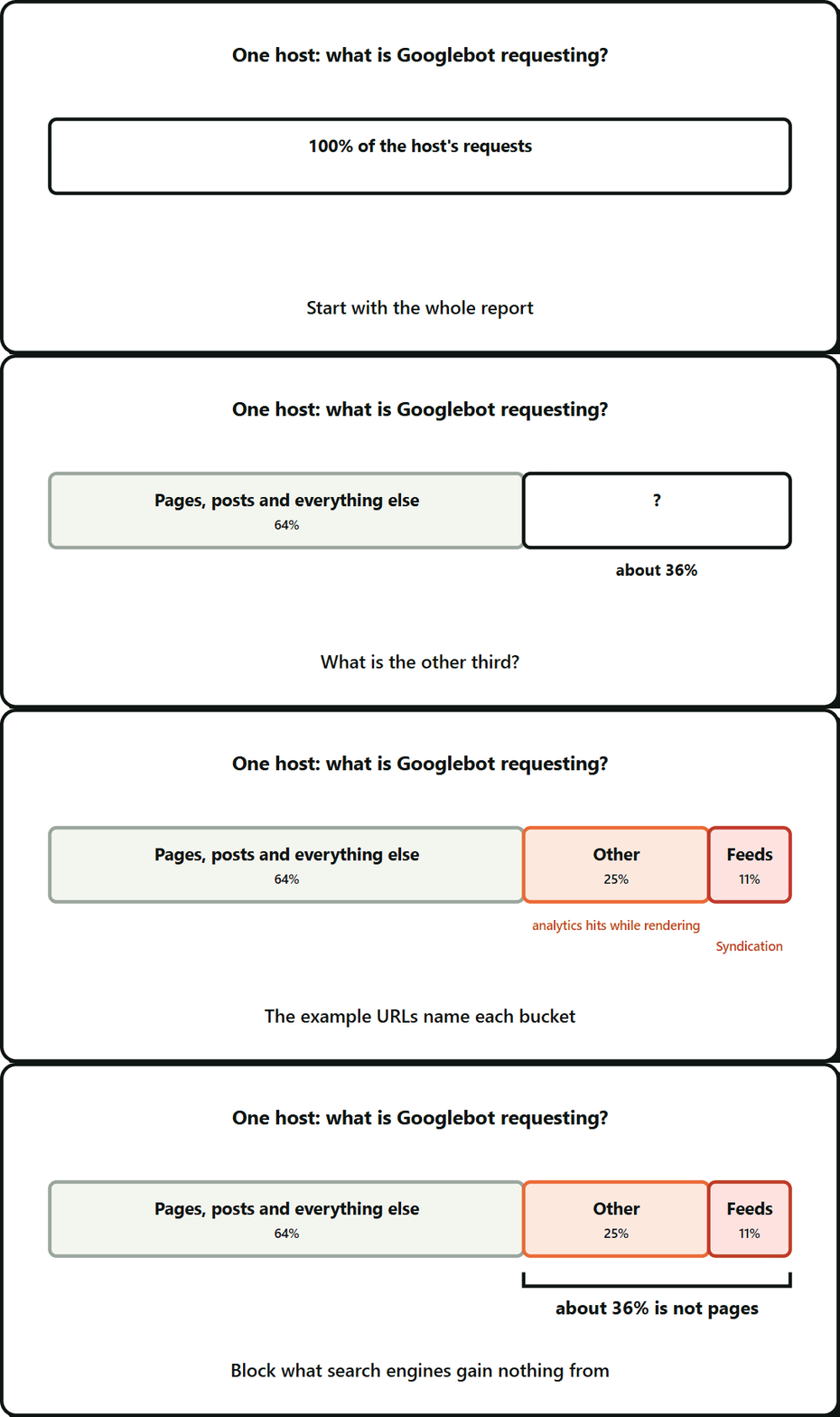
If your Search Console Crawl Stats report shows errors or odd traffic, check which host it is describing before you act. The worry is justified: on a WordPress plugin site I audited, about 36% of Googlebot’s requests were going to things nobody searches for.
Crawl Stats is a Search Console report that shows how Googlebot requested your site over the last 90 days: total requests, download size, response time and breakdowns by response, file type and purpose.
Key takeaways
- Read Crawl Stats for the specific host you care about. In a Domain property, use the by-host breakdown or add a URL-prefix property for that host.
- A domain-level error rate can come from a different host than the one you were asked to fix.
- A large share of Googlebot’s requests on that site were going to things nobody searches for.
- Open the example URLs in each bucket, because labels like “Other” and “Syndication” are too vague to act on.
- Test robots.txt rules against real URLs before you deploy, then re-pull Crawl Stats two to three weeks later.
What you’ll need
- Search Console access
- A URL-prefix property for the host, if you only have a Domain property
Where the data lives
In Search Console, go to Settings, then Crawl stats. The breakdowns cover response, file type, purpose and Googlebot type.
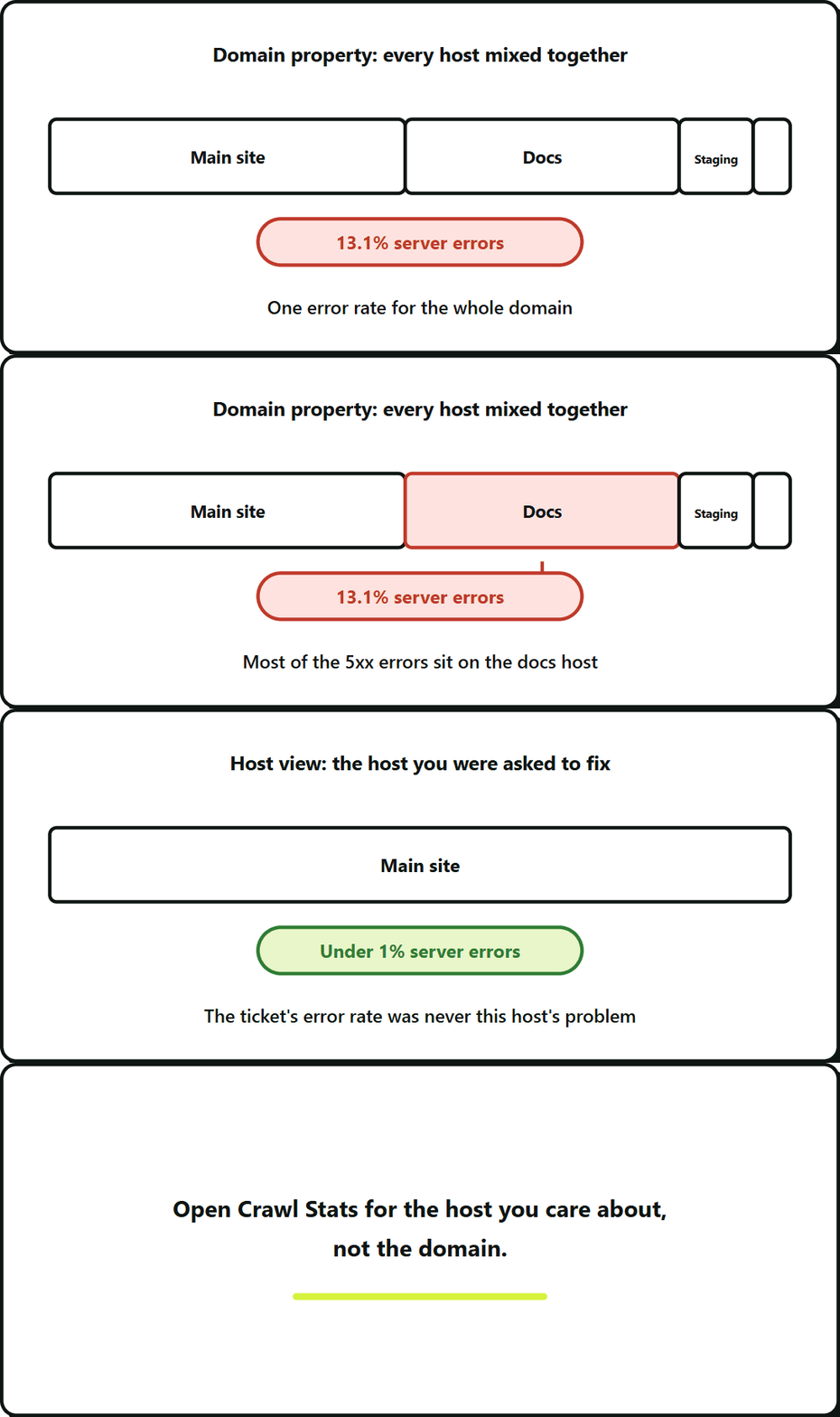
If you verified a Domain property, the report covers every host under that domain. That is where the trap is.
The mistake: reading the domain when you mean the host
A domain-level number mixes the main site, the blog, docs, staging and demo hosts. In my audit the domain showed a 13.1% server error rate. The host I was asked to fix had under 1%. The errors came from a docs host with its own problem.
Before you read any chart, check what the report is scoped to. In a Domain property, open the report and read the by-host breakdown for the host the ticket names, or add a URL-prefix property for that host and read its Crawl Stats directly.
Three breakdowns that matter
| Breakdown | What to look for |
|---|---|
| By response | 200, 301, 304, 404, 5xx. A high 301 or 404 share is waste. A 5xx cluster points to a specific broken thing. |
| By file type | HTML is what you want most of. Large “Other”, “Syndication” or “JSON” shares need a reason. |
| By purpose | Discovery means new URLs. Refresh means re-checking known ones. A high refresh share on a site that publishes slowly is normal. |
Open the example URLs
The labels are too vague to act on. Each breakdown lets you view examples. Open a handful for every bucket and identify what each URL is.
This is where the real answers came from. “Other” turned out to be a server-side analytics endpoint that Googlebot called while rendering pages. “Syndication” was feed URLs, some carrying search terms that someone else had written.
Bucket, cause, action
| Bucket | Typical cause | Action |
|---|---|---|
| Other | Tracking or analytics endpoint hit during rendering | Disallow in robots.txt if it is not needed to render the page |
| Syndication | Feeds: comment feeds, category feeds, search feeds | Disallow the feeds you do not need. Fix any that echo user input. |
| JSON | REST or page-data endpoints | Usually leave alone. Google may need them to render. |
| 301 | Old links still being followed | Update internal links to the final URL |
| 404 | Dead links, or crawlers guessing URLs | Fix the source of the links, not just the page |
| 5xx | Broken endpoint, or an error page that triggers more requests | Reproduce with a crawler user agent and fix at the source |
What to block, and what never to block
Block things that are not pages and that a search engine gains nothing from: tracking endpoints, internal search results, feeds you do not publish on purpose, admin areas and embed endpoints. Disallow stops new requests. It does not remove URLs already in the index, and Google cannot see a noindex or a 404 on a URL it is not allowed to fetch.
Do not block anything Google needs to render or understand your pages. That includes the endpoint a page calls to render, page-data JSON and landing URLs you track with parameters. When unsure, leave it crawlable and test.
Test robots rules before you deploy
Do not reason about robots.txt in your head. Take a list of real URLs plus edge cases, run them against the file with a parser that follows Google’s matching rules, and write down the expected result for each. I used 59 URLs: some that must be blocked, some that must stay open.
Remember that a host has one robots.txt, at its root. If two installs share a host, one file covers both.
Verify after deploy
- Fetch production robots.txt directly and read it. In my audit a CDN had cached a self-redirecting 301 for robots.txt for about 17 days. Google treats that like no file, so every rule I wrote would have been ignored.
- Two to three weeks later, re-pull Crawl Stats for the same host and compare the same buckets. Crawl behaviour changes slowly, so do not judge after two days.
Limits
robots.txt only affects crawlers that follow it. If an endpoint is being abused, you need a code fix as well.
Crawl budget also matters less on small sites than most advice suggests. It is worth chasing when a large share of requests goes to things that are not pages, as it did here.
Frequently Asked Questions About Search Console Crawl Stats
It sits under Settings in Search Console, as Crawl stats. The section called Where the data lives, above, lists what each breakdown shows.
Where do I find Googlebot crawl stats in Search Console?
No. Blocking only keeps Googlebot from fetching the URL, so one that is already indexed can stay there. To drop it, let Google reach it and see a noindex or a 404. The section on what to block has the detail.
Does blocking a URL in robots.txt remove it from Google?
It depends less on the size of the site than on how much of the crawl goes to things that are not pages. Check the file type and response breakdowns before deciding whether it is worth your time.
Does crawl budget matter for a small WordPress site?
A Domain property combines every host under the domain, so another host’s errors can dominate the totals. Read the by-host breakdown, or add a URL-prefix property for your site’s host, to see its own numbers.
Leave a Reply