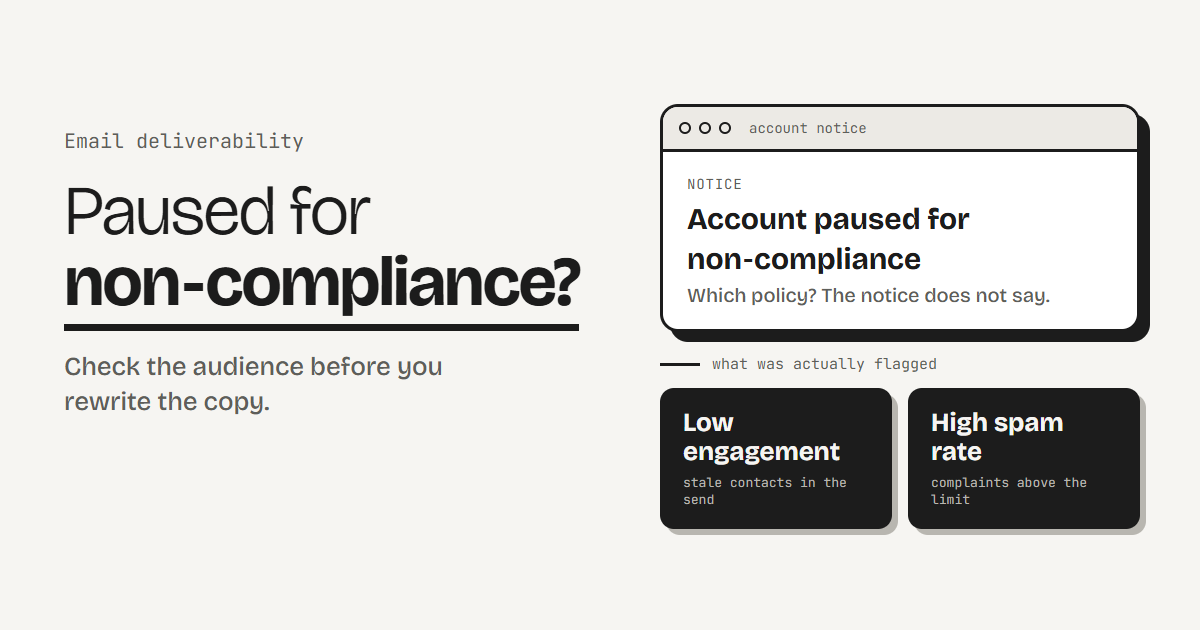
Short answer: do not start by rewriting the email. A non-compliance notice usually points at how your audience reacted, not at your copy. Check the spam complaint rate, the bounce rate and who was in the send, compare them with the published limits below, fix the audience, and only then ask the platform for a review.
The example in my case study is a launch campaign that was paused midway. The team read the notice as a content problem. The real flag was low engagement and a high spam rate. That pattern is common enough to be worth a checklist.
Check what was actually flagged
- Read the notice for the policy it names. Many say only “non-compliance”. Reply to the platform and ask which rule and which campaign.
- Open the platform’s account health or deliverability page if it has one. Note the complaint, bounce and unsubscribe rates for the paused send.
- Check Gmail’s view of you. Google reports your spam rate in Postmaster Tools. If you send to Gmail addresses, that is the number its guidance is written around.
- Look at who was in the send. Pull the segment and check last open or click per contact. If a large share has never engaged, you have found the likely cause.
- Read the bounce breakdown. Hard bounces are permanent failures. Soft bounces are temporary. Repeated soft bounces on the same address usually mean it is dead.
- Check the basics. Do SPF, DKIM and DMARC pass? Does the email have a visible unsubscribe link and a one-click option?
What the limits are
| Signal | Limit or target | Source |
|---|---|---|
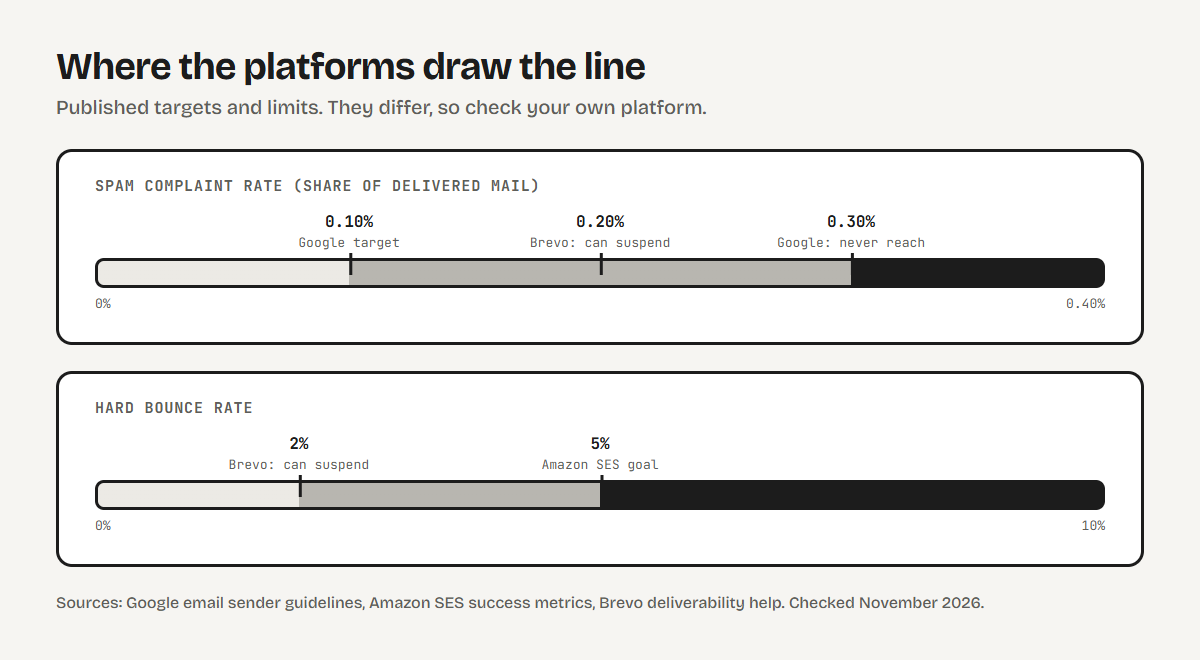
| Spam complaint rate | Below 0.10%. Never reach 0.30%. | |
| Spam complaint rate | Below 0.1% as a goal | Amazon SES |
| Spam complaint rate | Above 0.2% can lead to suspension | Brevo |
| Hard bounce rate | Below 5% as a goal | Amazon SES |
| Hard bounce rate | Above 2% can lead to suspension | Brevo |
| Unsubscribe rate | Above 1% can lead to suspension | Brevo |
| Authentication | SPF and DKIM for all senders. SPF, DKIM and DMARC above 5,000 a day to Gmail. | |
| Unsubscribe | One-click unsubscribe plus a visible link on bulk marketing mail |
Treat these as a guide, not a guarantee. Google gives no fixed bounce or unsubscribe limit. Amazon calls its numbers goals, not rules for every inbox provider. Some platforms do not publish a number. Check your own platform’s current help page.
Match the symptom to the fix
| What you find | Likely cause | Fix |
|---|---|---|
| Many contacts who never open | Old or unengaged contacts in the send | Send only to engaged contacts, run a re-engagement series for the rest |
| High hard bounces | Invalid or dead addresses | Remove hard bounces, verify the remaining addresses with a third-party tool |
| Spam complaints on every send | People cannot find or trust the unsubscribe | Add a visible link and one-click unsubscribe, add a preference form |
| No record of consent | Imports, old sign-ups, forms with no confirmation | Use double opt-in from now on, keep older unconfirmed contacts out of marketing sends |
| Authentication failing | SPF, DKIM or DMARC missing or misaligned | Fix DNS for the sending domain |
| One platform sends everything | A pause also stops order and sign-up emails | Set up a fallback for transactional mail |
Re-engage first, then block, do not delete
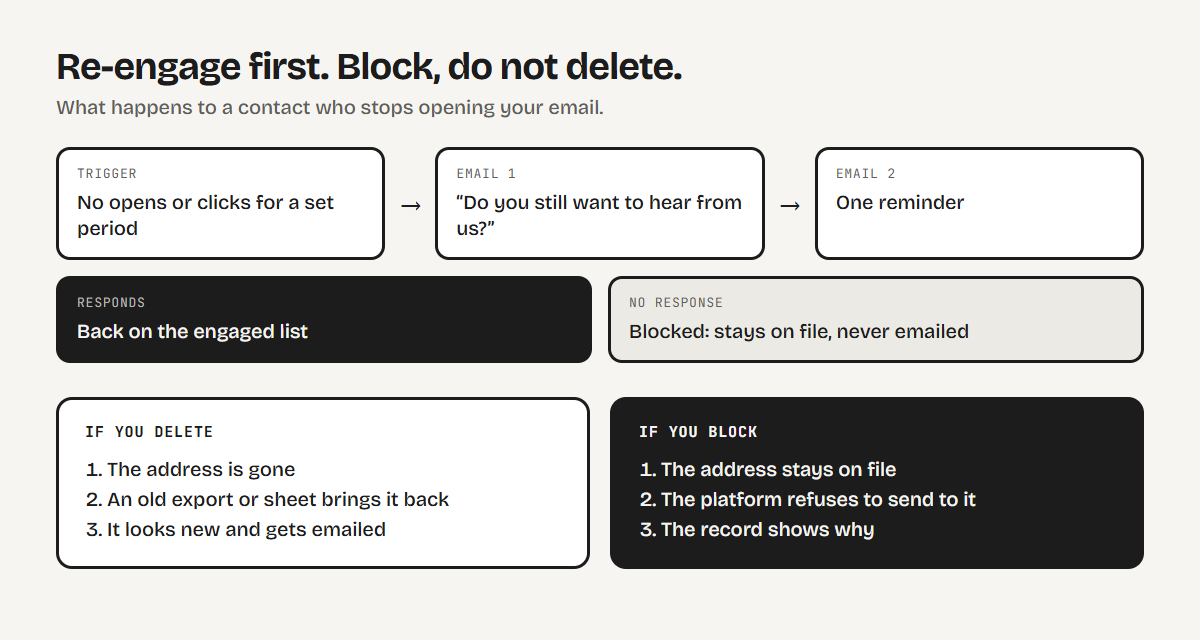
For contacts who have gone quiet but never complained, send a short series before you give up on them: a plain “do you still want to hear from us?” email, then one reminder. Anyone who responds goes back on the engaged list. Everyone else is blocked. Automate it, so it runs for every contact and nobody has to remember.
When you clean the list, resist deleting contacts. A deleted address can come back as a new contact from an old export, a form or a spreadsheet, and then you email it again. Move it to a blocked list instead. The address stays on file, the platform will not send to it, and the record shows why.
What to prepare before you ask for a review
Platforms are more likely to help when you show what changed. Bring:
- The segment definition for the next campaign (engaged contacts only).
- The result of verifying the list.
- Your unsubscribe and preference links.
- A short note on what you found and what you changed.
Platforms differ in how they review an account, and some will review the next campaign or two before sending resumes. Plan launch dates around that.
Mistakes that make it worse
- Sending the rest of the queue as soon as the account is back. Clean the audience first.
- Deleting the evidence. Keep contact and consent records.
- Rewriting the copy and resending to the same list. The audience is the problem.
- Treating it as one-off. Give the list an owner and a routine: bounces monthly, consent dates quarterly.
Keep it from happening again
Check the complaint and bounce rates after every send, and agree a pause point in advance so you stop before the platform does. Send only to people who opted in and still engage. Give them a way to say less, not leave.
If you want a second pair of eyes on your setup, see my email service.
Frequently asked questions
Why did my email platform pause my account for non-compliance?
The notice often does not name the rule. In many cases it comes down to how recipients reacted: low engagement, a high spam complaint rate or a high bounce rate. Ask the platform which policy and which campaign, then check those rates against the limits above.
What spam complaint rate is too high?
Google asks bulk senders to keep the spam rate reported in Postmaster Tools below 0.10% and to avoid ever reaching 0.30%. Brevo says a complaint rate above 0.2% can lead to suspension. Amazon SES suggests staying below 0.1%.
Should I delete the contacts I removed from my list?
No. Block them instead. A deleted address can be re-imported from an old export or form and emailed again as if it were new. A blocked address stays on file and the platform refuses to send to it.
How do I get my email account reviewed?
Fix the audience first, then bring the platform the segment definition for your next campaign, the result of verifying your list, your unsubscribe and preference links and a short note on what changed. Review steps differ by platform, so check yours.
Sources
- Google, Email sender guidelines
- Amazon SES, Email program success metrics
- Brevo, Best practices for email deliverability
Thresholds checked in November 2026. Platforms change their rules, so check the current page before you rely on a number.