Short answer: fetch each page twice and compare the CSS and JS URLs. If they change on every request, browsers and CDNs have nothing to reuse. Look for a plugin that uses the current time as its asset version.
Your WordPress CSS and JS files are not caching, and you are not allowed to install a cache plugin. The worry is justified: a changing asset URL means a fresh download every time. I met this on a WordPress plugin site where mobile Lighthouse scores were 31 and 36.
Key takeaways
- Fetch each page twice and compare the asset URLs to learn whether caching is even possible.
- A common cause is a plugin that sets its asset version to the current time.
- Check what depends on a font @import before you remove it.
- I do not promise a score, so measure the same pages with the same tool and settings before and after.
What you’ll need
- A shell with curl
- Node, so you can run npx
- Chrome, which Lighthouse uses
Lab results differ from a real browser
Lighthouse is lab data: one simulated device on one throttled connection. A real browser, from a real place, will often give a different answer. On the same host, a blog post showed 1.3 s TTFB in the lab run and 0.65 s in a real browser.
So use the lab number to find differences between pages, and use a real browser to check it. The gap between pages is the finding, not one absolute number. TTFB measured from far away through a CDN will also be larger than what nearby visitors see.
Run Lighthouse locally when the API is limited
If the hosted Lighthouse API quota runs out, run Lighthouse on your own machine:
npx lighthouse https://example.com/page/ \
  --only-categories=performance \
  --output=json --output-path=./page.json
Run each page the same way. Lighthouse emulates a mobile device by default. Run a few times, because single runs vary.
The two-fetch cache probe
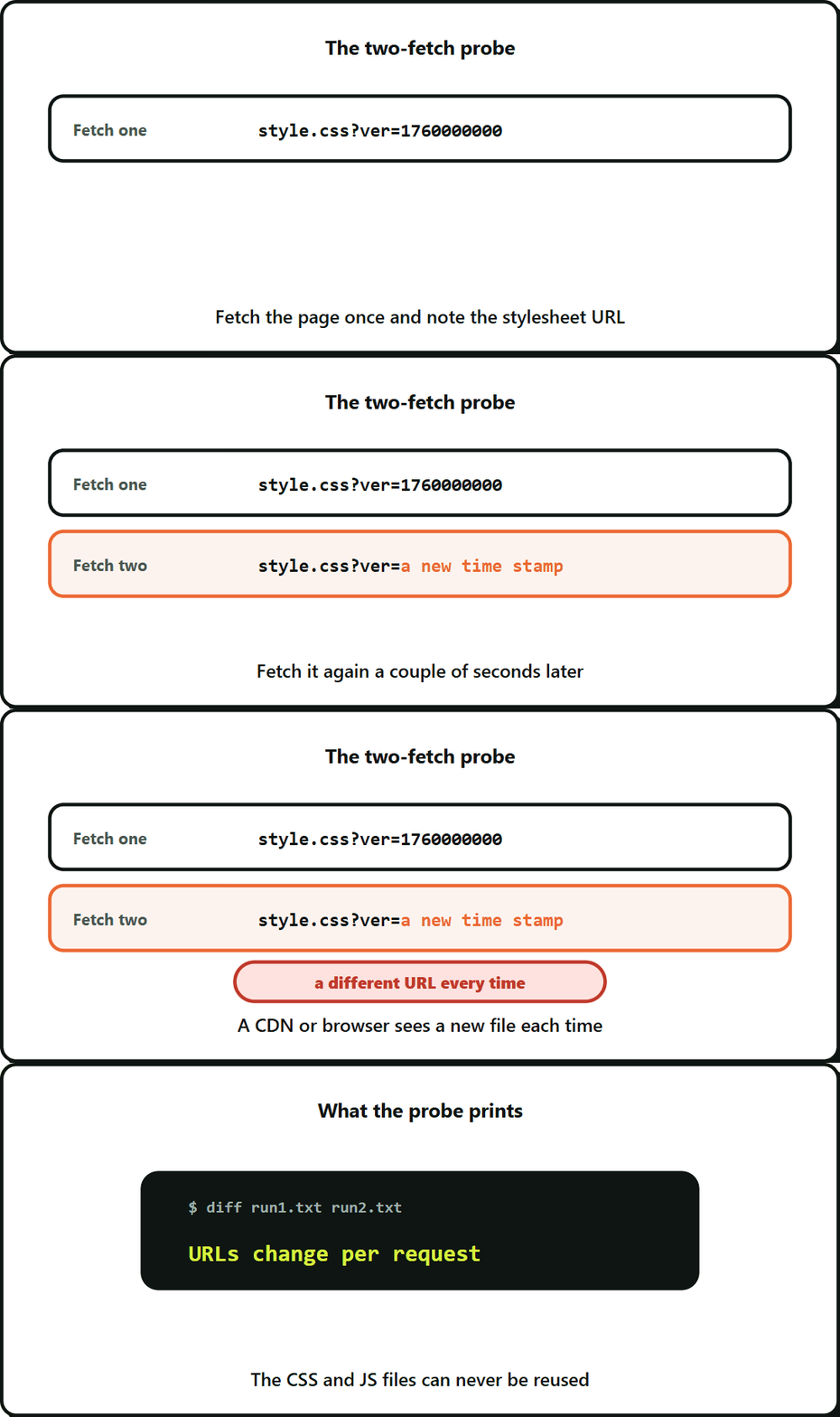
This is the quickest way to learn whether anything can be cached. Fetch the page twice a couple of seconds apart and compare the stylesheet and script URLs.
for i in 1 2; do
  curl -s https://example.com/page/ \
    | grep -oE "(href|src)=['\"][^'\"]*\.(css|js)[^'\"]*['\"]" | sort > run$i.txt
  [ -s run$i.txt ] || { echo "no assets found, check the pattern"; exit 1; }
  sleep 2
done
diff run1.txt run2.txt && echo "stable" || echo "URLs change per request"
Do this for many pages, and include a few that you expect to be fine as a control. I probed 196 of the 197 pages on one site twice and all 196 came back uncached, while four blog posts used as a control stayed stable. The difference pointed straight at the cause.
If the asset URLs change on every request, browsers and CDNs can never reuse the CSS and JS files, whatever plugin you have or do not have. Run the probe on a staging copy first if you have one, and use the staging site indexing checklist to keep that copy out of search. To see how Google spends its requests on your site, read how to read Search Console crawl stats.
Version stamps used as cache busters
The common cause is a plugin that sets its asset version to the current time:
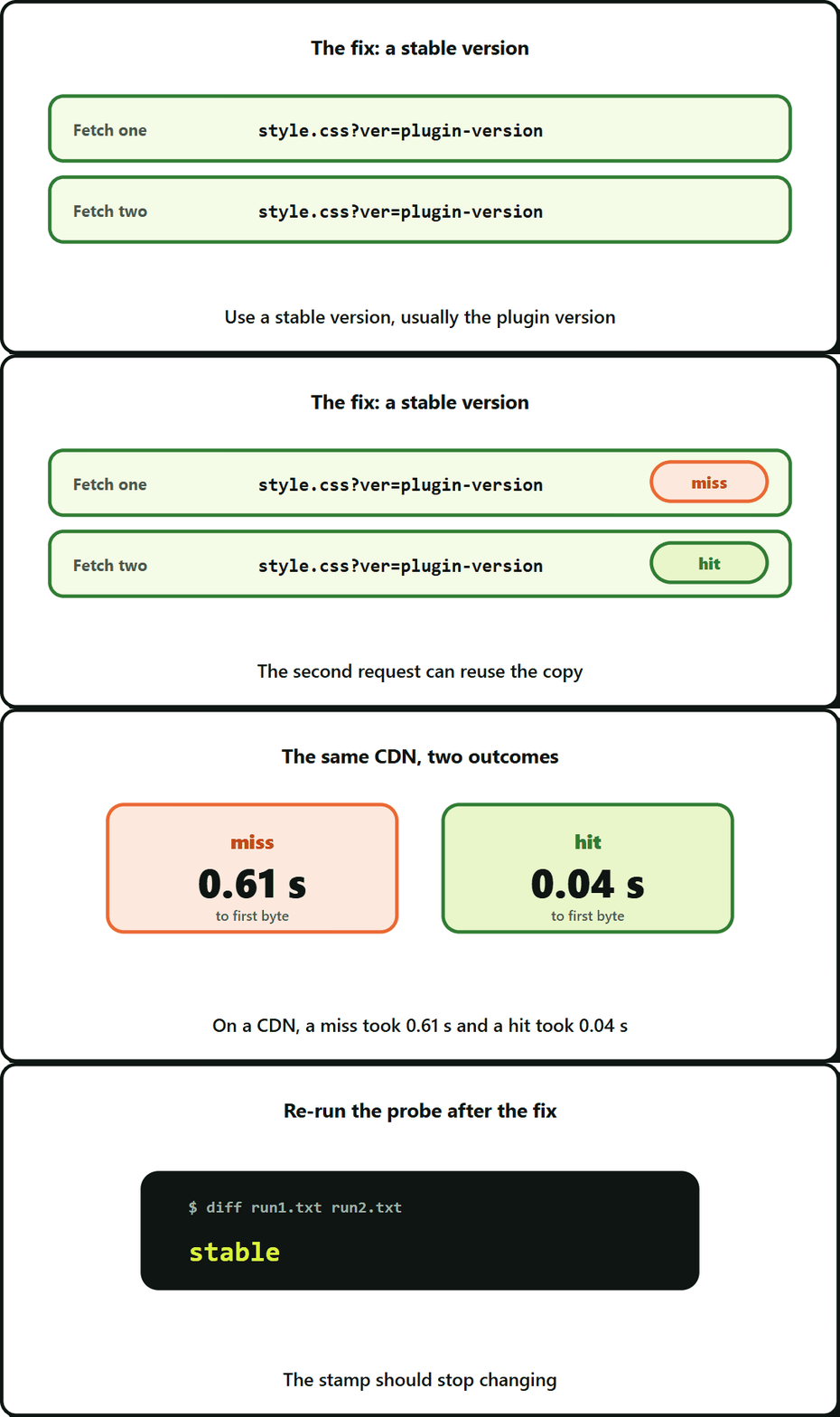
wp_enqueue_style( 'example-style', $url, array(), time() );Every request now produces a new URL such as style.css?ver=1760000000. A CDN or browser sees a new file each time, so it never has a copy to serve. The fix is a stable version, usually the plugin version. If the stamp is in the page HTML, a changing URL also tells you the page itself is not coming from a page cache, because a cached page would freeze the stamp.
On a CDN, a miss took 0.61 s to first byte and a hit took 0.04 s.
@import chains
If a stylesheet starts with @import for a font, the browser has to download the stylesheet, read it and only then start the font request. That chain blocks rendering.
Look at the first lines of your largest stylesheets.
Is this font rule used?
Before you remove a font import, check what depends on it. Count the font weights your CSS asks for and see which ones come from local files.
In my audit the bold weights, 600 and 700, came only from the imported font. Removing the import blindly would have made the browser fake bold. The safe order is: self-host the weights you use, test, then remove the import. Also check how many of the font rules in a plugin’s CSS match anything on the page. In one plugin I found 19 rules, and only 1 matched.
Check what is loaded on pages that do not need it
Compare request counts on a page with a form and a page without one. If a form plugin loads 14 to 19 requests on both, the forms may sit in a shared block such as a footer. Fixing it then means loading the plugin’s assets only where its blocks are used.
Before and after, honestly
- Write down the same three pages, the same tool and the same settings before you change anything.
- Make one change at a time where you can.
- Re-run the cache probe. The stamp should stop changing.
- Report what moved. If a score does not move, say so.
I do not promise a score. A stable URL turns misses into hits, and fewer blocking requests can lower LCP and TBT. Measure it.
Frequently Asked Questions About WordPress Asset Caching
Usually because the file URL is different on every request, so there is no stored copy to match. The version stamps section above shows the most common source.
Why can’t my WordPress site’s CSS and JS files be cached?
Compare the stylesheet and script URLs from two fetches of the same page. The two-fetch probe section above has a short script that prints whether they match.
How can I check whether my asset URLs are stable?
Not until you know what relies on it, because removing it can change how bold text renders. The font rule section above covers the safe order.
Is it safe to remove a font @import from a stylesheet?
Not from a single run, because scores vary between runs. Run each page a few times with the same settings and look at the pattern, and check it in a real browser too, since the lab section above shows the two can differ.
Leave a Reply