Short answer: if your site serves feeds for search results, return a 404 with noindex for them. A small must-use plugin on template_redirect does it. Then test it with a handful of URLs that must fail and a handful that must keep working.
If Googlebot is crawling search feed URLs full of terms you never wrote, that is search feed abuse, and your worry is justified because those URLs sit on your domain. I found this while auditing crawl data on a WordPress plugin site. Below is a short fix and a way to test it.
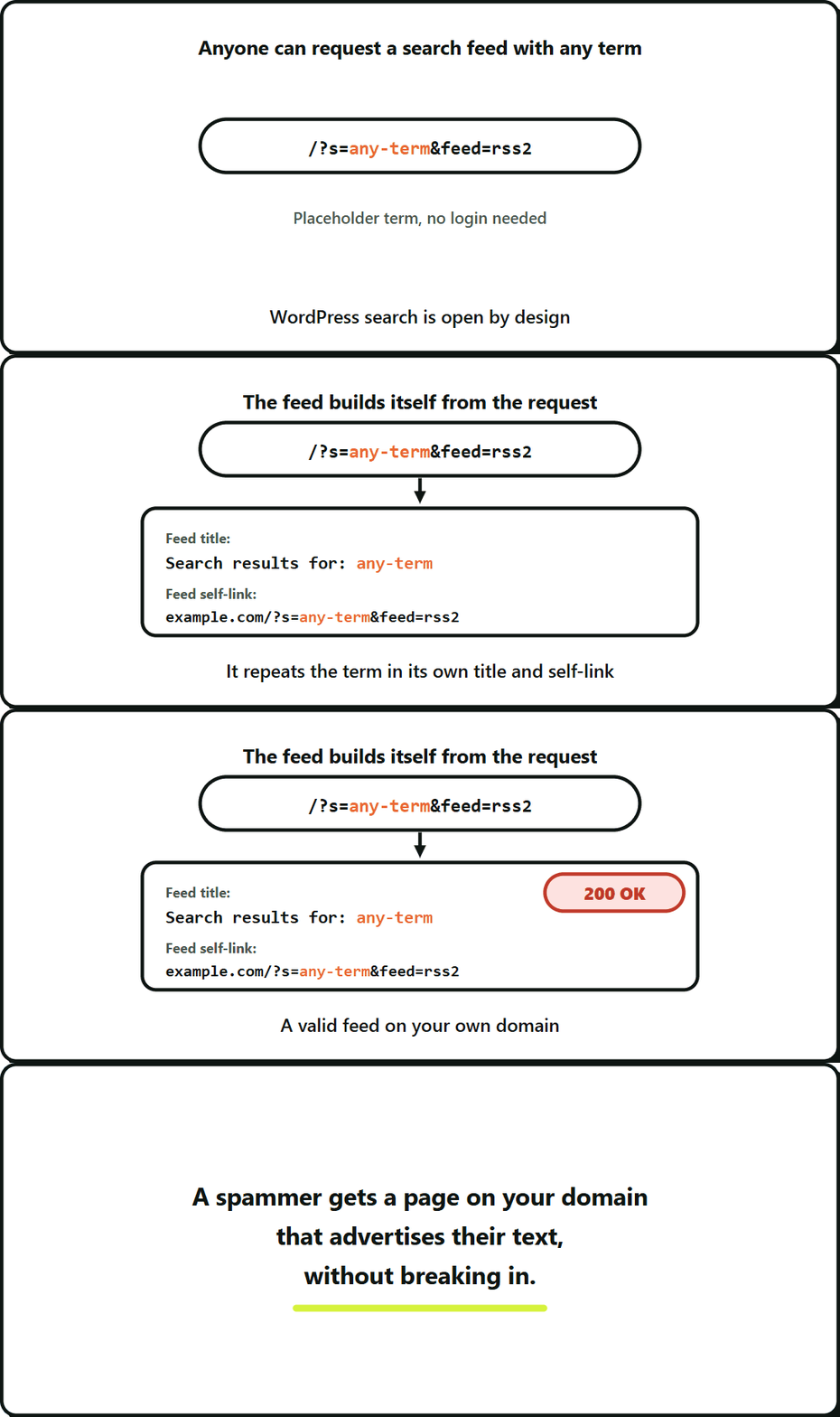
A search feed is the RSS feed WordPress builds for a search term, and it can repeat that term in its own title and links.
Key takeaways
- If your site serves feeds for search results, return a 404 with noindex for them.
- A search feed can repeat whatever term is in the URL, so spam text can appear on your domain.
- The snippet only acts on requests that are both a feed and a search.
- Add a robots.txt Disallow last, not first.
What you’ll need
- File access to
wp-content/mu-plugins - A staging copy of the site
- curl
Abuse is not the same as a hack
Before you change anything, work out which one you have.
A hack means something was changed or injected: new files, new posts, new admin users. Abuse means an endpoint is doing exactly what it was built to do, and someone found a way to use that.
In my case no spam was stored anywhere. Every search returned the same fixed list of items. The only thing that changed from URL to URL was the search term, and that came from the request.
Why a feed can echo input
WordPress search is open by design: anyone can request it with any term.
In the case I audited, the feed repeated the query string in its own self-link. Whatever term was in the URL ended up inside a valid feed on a trusted domain, returning a 200. Check yours. Request a search feed with an obvious test word and look for that word in the feed’s own link and title.
The effect is that a spammer gets a page on your domain that advertises their text, without breaking in.
The fix on template_redirect
If you do not publish search feeds on purpose, there is no reason to serve them. Put this in a must-use plugin (a .php file in wp-content/mu-plugins/):
<?php
/**
 * Plugin Name: Block search feeds
 * Description: Returns 404 with noindex for search result feeds.
 */

add_action( 'template_redirect', function () {
	if ( ! is_feed() || ! is_search() ) {
		return;
	}

	global $wp_query;
	$wp_query->set_404();
	// set_404() clears the feed flag, so the theme renders its own 404 template.
	status_header( 404 );
	nocache_headers();
	header( 'X-Robots-Tag: noindex, nofollow', true );
} );
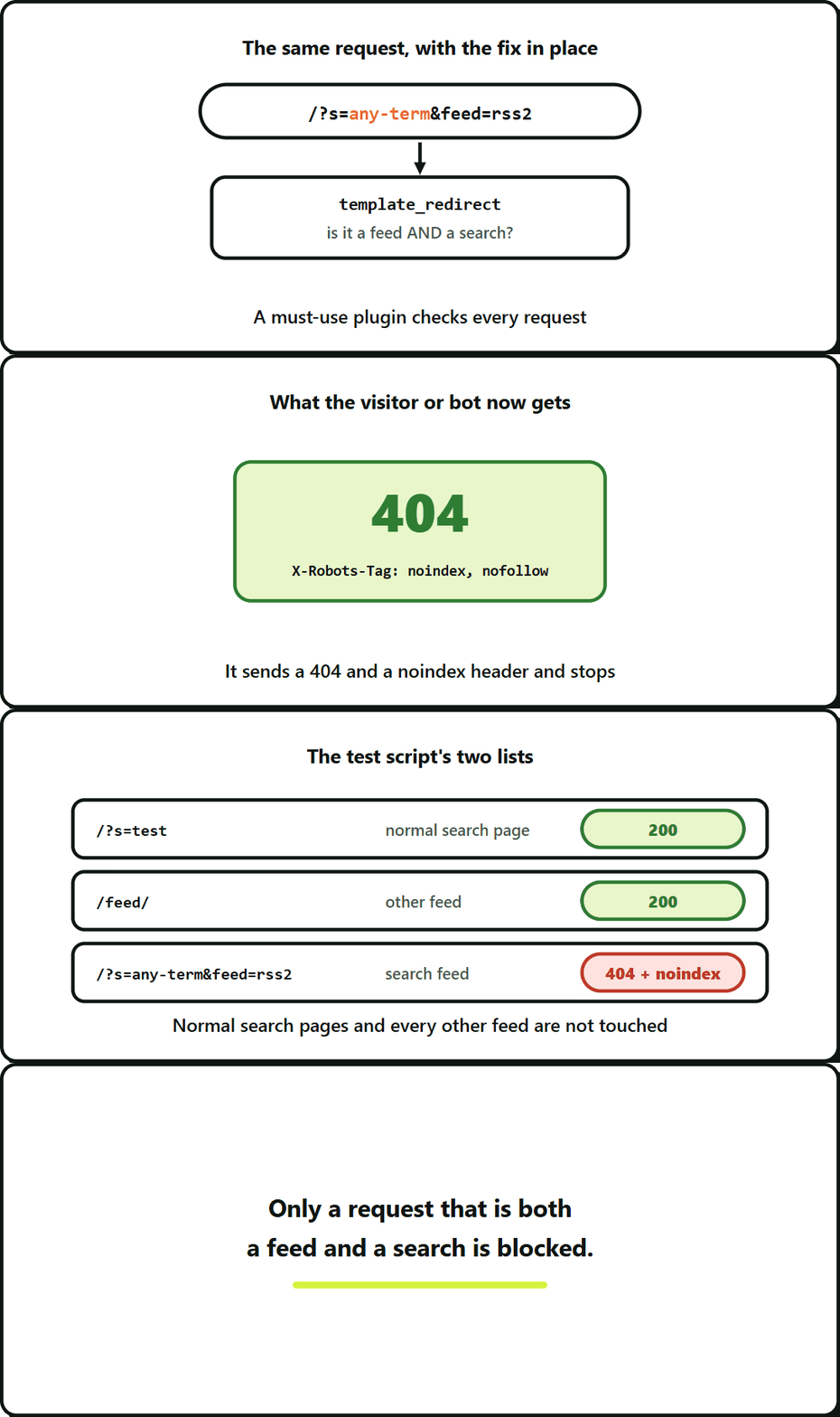
It does only one thing. When a request is both a feed and a search, it sends a 404 and a noindex header and stops. Normal search pages and every other feed are not touched.
Also stop advertising search feeds. WordPress adds extra feed links to the page head, including one for search results. If you do not need any of those, remove_action( 'wp_head', 'feed_links_extra', 3 ); removes them. This also removes the head links for author, post type, category, tag, comment and search feeds, so check you do not need the others.
Test it before and after
Do not trust that the code works. Write a short list of URLs with the result you expect for each. Five that must return 404 and five that must stay 200 is enough.
#!/usr/bin/env bash
base="https://example.com"

must_404=(
  "/?s=test&feed=rss2"
  "/?s=test&feed=atom"
  "/feed/?s=test"
  "/search/test/feed/rss2/"
  "/?s=another+term&feed=rss"
)
must_200=(
  "/"
  "/?s=test"
  "/feed/"
  "/category/news/feed/"
  "/sample-post/"
)

check() {
  code=$(curl -s -o /dev/null -w "%{http_code}" "$base$2")
  [ "$code" = "$1" ] && echo "ok   $1 $2" || echo "FAIL $code (wanted $1) $2"
}

for u in "${must_404[@]}"; do check 404 "$u"; done
for u in "${must_200[@]}"; do check 200 "$u"; done
Change the paths to match your own permalink structure. Swap the category path for one that exists on your site. Run it before you deploy. The five must-404 URLs will print FAIL with a 200, which is your baseline. After the fix, all ten lines should print ok. Run it again on staging, then again on production.
Why robots.txt alone is not enough
You can add a Disallow line for search feeds, and it is worth doing. It stops crawlers that follow robots.txt from requesting them.
It does not stop anyone else. Bots that ignore robots.txt still get a 200 and still see the content. The 404 fixes the endpoint itself. Do the 404 first, then add the Disallow only after the URLs have dropped out of the index, because a Disallow stops Google from seeing the 404 on URLs it already has.
Cover every install
Check every place the code runs. The site I audited had a main install and a /blog/ install under one host, plus a sister site on the same stack. On the sister site one install had the fix and the second did not. If you have more than one install, run the test against each.
Frequently Asked Questions About WordPress Search Feeds
No. Ordinary search pages are left alone. The URL /?s=test is in the must-stay-200 list of the test script, so you can confirm it on your own site.
Will this break my site’s own search?
Not necessarily. Look for changed files, new posts and new admin users first. If there are none, the feed is probably just repeating the term from the URL. The section on abuse versus a hack has the comparison.
Does spam in a search feed mean my WordPress site was hacked?
You can, but it only keeps crawlers that follow robots.txt from asking. The 404 is the actual fix, and the order matters, as the robots.txt section above explains.
Can I block search feeds in robots.txt instead of returning a 404?
No. The 404 only applies when a request is both a feed and a search, and the test script checks /feed/ and /category/news/feed/ for a 200. The optional feed_links_extra line is the only part that touches other feeds, and it removes their links from the page head, not the feeds themselves.
Leave a Reply